

最近更新された2026年03月テストエンジン練習テストはAssociate-Developer-Apache-Spark-3.5試験問題解答!
Databricks Certified Associate Developer for Apache Spark 3.5 - Python認定サンプル問題と練習試験合格させます
質問 # 52
What is the difference betweendf.cache()anddf.persist()in Spark DataFrame?
- A. Both functions perform the same operation. Thepersist()function provides improved performance asits default storage level isDISK_ONLY.
- B. persist()- Persists the DataFrame with the default storage level (MEMORY_AND_DISK_SER) andcache()- Can be used to set different storage levels to persist the contents of the DataFrame.
- C. Bothcache()andpersist()can be used to set the default storage level (MEMORY_AND_DISK_SER)
- D. cache()- Persists the DataFrame with the default storage level (MEMORY_AND_DISK) andpersist()- Can be used to set different storage levels to persist the contents of the DataFrame
正解:D
解説:
Comprehensive and Detailed Explanation From Exact Extract:
df.cache()is shorthand fordf.persist(StorageLevel.MEMORY_AND_DISK)
df.persist()allows specifying any storage level such asMEMORY_ONLY,DISK_ONLY, MEMORY_AND_DISK_SER, etc.
By default,persist()usesMEMORY_AND_DISK, unless specified otherwise.
Reference:Spark Programming Guide - Caching and Persistence
質問 # 53
A Data Analyst needs to retrieve employees with 5 or more years of tenure.
Which code snippet filters and shows the list?
- A. employees_df.where(employees_df.tenure >= 5)
- B. employees_df.filter(employees_df.tenure >= 5).show()
- C. employees_df.filter(employees_df.tenure >= 5).collect()
- D. filter(employees_df.tenure >= 5)
正解:B
解説:
To filter rows based on a condition and display them in Spark, use filter(...).show():
employees_df.filter(employees_df.tenure >= 5).show()
Option A is correct and shows the results.
Option B filters but doesn't display them.
Option C uses Python's built-in filter, not Spark.
Option D collects the results to the driver, which is unnecessary if .show() is sufficient.
Final answer: A
質問 # 54
40 of 55.
A developer wants to refactor older Spark code to take advantage of built-in functions introduced in Spark 3.5.
The original code:
from pyspark.sql import functions as F
min_price = 110.50
result_df = prices_df.filter(F.col("price") > min_price).agg(F.count("*")) Which code block should the developer use to refactor the code?
- A. result_df = prices_df.filter(F.col("price") > F.lit(min_price)).agg(F.count("*"))
- B. result_df = prices_df.where(F.lit("price") > min_price).groupBy().count()
- C. result_df = prices_df.filter(F.lit(min_price) > F.col("price")).count()
- D. result_df = prices_df.withColumn("valid_price", when(col("price") > F.lit(min_price), True))
正解:A
解説:
To compare a column value with a Python literal constant in a DataFrame expression, use F.lit() to convert it into a Spark literal.
Correct refactor:
from pyspark.sql import functions as F
min_price = 110.50
result_df = prices_df.filter(F.col("price") > F.lit(min_price)).agg(F.count("*")) This avoids type mismatches and ensures Spark executes the filter expression on the cluster.
Why the other options are incorrect:
B: where() syntax is valid, but F.lit("price") is incorrect - wraps string literal, not a column.
C: withColumn adds a column, not needed for this aggregation.
D: Comparison logic reversed.
Reference:
PySpark SQL Functions - lit(), col(), and DataFrame filters.
Databricks Exam Guide (June 2025): Section "Developing Apache Spark DataFrame/DataSet API Applications" - filtering, literals, and aggregations.
質問 # 55
A data engineer uses a broadcast variable to share a DataFrame containing millions of rows across executors for lookup purposes. What will be the outcome?
- A. The job may fail if the executors do not have enough CPU cores to process the broadcasted dataset
- B. The job may fail if the memory on each executor is not large enough to accommodate the DataFrame being broadcasted
- C. The job will hang indefinitely as Spark will struggle to distribute and serialize such a large broadcast variable to all executors
- D. The job may fail because the driver does not have enough CPU cores to serialize the large DataFrame
正解:B
解説:
Comprehensive and Detailed Explanation From Exact Extract:
In Apache Spark, broadcast variables are used to efficiently distribute large, read-only data to all worker nodes. However, broadcasting very large datasets can lead to memory issues on executors if the data does not fit into the available memory.
According to the Spark documentation:
"Broadcast variables allow the programmer to keep a read-only variable cached on each machine rather than shipping a copy of it with tasks. This can greatly reduce the amount of data sent over the network." However, it also notes:
"Using the broadcast functionality available in SparkContext can greatly reduce the size of each serialized task, and the cost of launching a job over a cluster. If your tasks use any large object from the driver program inside of them (e.g., a static lookup table), consider turning it into a broadcast variable." But caution is advised when broadcasting large datasets:
"Broadcasting large variables can cause out-of-memory errors if the data does not fit in the memory of each executor." Therefore, if the broadcasted DataFrame containing millions of rows exceeds the memory capacity of the executors, the job may fail due to memory constraints.
Reference:Spark 3.5.5 Documentation - Tuning
質問 # 56
44 of 55.
A data engineer is working on a real-time analytics pipeline using Spark Structured Streaming.
They want the system to process incoming data in micro-batches at a fixed interval of 5 seconds.
Which code snippet fulfills this requirement?
- A. query = df.writeStream \
.outputMode("append") \
.trigger(processingTime="5 seconds") \
.start() - B. query = df.writeStream \
.outputMode("append") \
.trigger(continuous="5 seconds") \
.start() - C. query = df.writeStream \
.outputMode("append") \
.start() - D. query = df.writeStream \
.outputMode("append") \
.trigger(once=True) \
.start()
正解:A
解説:
To process data in fixed micro-batch intervals, use the .trigger(processingTime="interval") option in Structured Streaming.
Correct usage:
query = df.writeStream \
.outputMode("append") \
.trigger(processingTime="5 seconds") \
.start()
This instructs Spark to process available data every 5 seconds.
Why the other options are incorrect:
B: continuous triggers are for continuous processing mode (different execution model).
C: once=True runs the stream a single time (batch mode).
D: Default trigger runs as fast as possible, not fixed intervals.
Reference:
PySpark Structured Streaming Guide - Trigger types: processingTime, once, continuous.
Databricks Exam Guide (June 2025): Section "Structured Streaming" - controlling streaming triggers and batch intervals.
質問 # 57
A developer is working with a pandas DataFrame containing user behavior data from a web application.
Which approach should be used for executing agroupByoperation in parallel across all workers in Apache Spark 3.5?
A)
Use the applylnPandas API
B)
C)
D)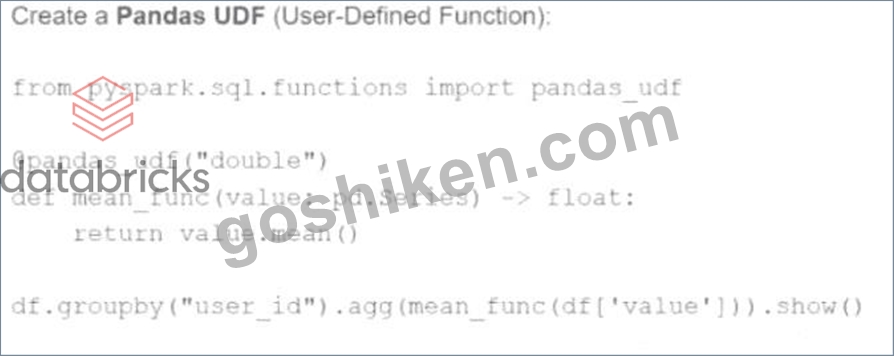
- A. Use a Pandas UDF:
@pandas_udf("double")
def mean_func(value: pd.Series) -> float:
return value.mean()
df.groupby("user_id").agg(mean_func(df["value"])).show() - B. Use a regular Spark UDF:
from pyspark.sql.functions import mean
df.groupBy("user_id").agg(mean("value")).show() - C. Use theapplyInPandasAPI:
df.groupby("user_id").applyInPandas(mean_func, schema="user_id long, value double").show() - D. Use themapInPandasAPI:
df.mapInPandas(mean_func, schema="user_id long, value double").show()
正解:C
解説:
Comprehensive and Detailed Explanation From Exact Extract:
The correct approach to perform a parallelizedgroupByoperation across Spark worker nodes using Pandas API is viaapplyInPandas. This function enables grouped map operations using Pandas logic in a distributed Spark environment. It applies a user-defined function to each group of data represented as a Pandas DataFrame.
As per the Databricks documentation:
"applyInPandas()allows for vectorized operations on grouped data in Spark. It applies a user-defined function to each group of a DataFrame and outputs a new DataFrame. This is the recommended approach for using Pandas logic across grouped data with parallel execution." Option A is correct and achieves this parallel execution.
Option B (mapInPandas) applies to the entire DataFrame, not grouped operations.
Option C uses built-in aggregation functions, which are efficient but not customizable with Pandas logic.
Option D creates a scalar Pandas UDF which does not perform a group-wise transformation.
Therefore, to run agroupBywith parallel Pandas logic on Spark workers, Option A usingapplyInPandasis the only correct answer.
Reference: Apache Spark 3.5 Documentation # Pandas API on Spark # Grouped Map Pandas UDFs (applyInPandas)
質問 # 58
What is the benefit of Adaptive Query Execution (AQE)?
- A. It allows Spark to optimize the query plan before execution but does not adapt during runtime.
- B. It enables the adjustment of the query plan during runtime, handling skewed data, optimizing join strategies, and improving overall query performance.
- C. It automatically distributes tasks across nodes in the clusters and does not perform runtime adjustments to the query plan.
- D. It optimizes query execution by parallelizing tasks and does not adjust strategies based on runtime metrics like data skew.
正解:B
解説:
Comprehensive and Detailed Explanation From Exact Extract:
Adaptive Query Execution (AQE) is a powerful optimization framework introduced in Apache Spark 3.0 and enabled by default since Spark 3.2. It dynamically adjusts query execution plans based on runtime statistics, leading to significant performance improvements. The key benefits of AQE include:
Dynamic Join Strategy Selection: AQE can switch join strategies at runtime. For instance, it can convert a sort-merge join to a broadcast hash join if it detects that one side of the join is small enough to be broadcasted, thus optimizing the join operation .
Handling Skewed Data: AQE detects skewed partitions during join operations and splits them into smaller partitions. This approach balances the workload across tasks, preventing scenarios where certain tasks take significantly longer due to data skew .
Coalescing Post-Shuffle Partitions: AQE dynamically coalesces small shuffle partitions into larger ones based on the actual data size, reducing the overhead of managing numerous small tasks and improving overall query performance .
These runtime optimizations allow Spark to adapt to the actual data characteristics during query execution, leading to more efficient resource utilization and faster query processing times.
質問 # 59
A data engineer wants to create a Streaming DataFrame that reads from a Kafka topic called feed.
Which code fragment should be inserted in line 5 to meet the requirement?
Code context:
spark \
.readStream \
.format("kafka") \
.option("kafka.bootstrap.servers", "host1:port1,host2:port2") \
.[LINE 5] \
.load()
Options:
- A. .option("subscribe", "feed")
- B. .option("subscribe.topic", "feed")
- C. .option("kafka.topic", "feed")
- D. .option("topic", "feed")
正解:A
解説:
To read from a specific Kafka topic using Structured Streaming, the correct syntax is:
python
CopyEdit
.option("subscribe", "feed")
This is explicitly defined in the Spark documentation:
"subscribe - The Kafka topic to subscribe to. Only one topic can be specified for this option." (Source: Apache Spark Structured Streaming + Kafka Integration Guide)
"subscribe - The Kafka topic to subscribe to. Only one topic can be specified for this option." (Source: Apache Spark Structured Streaming + Kafka Integration Guide) B . "subscribe.topic" is invalid.
C . "kafka.topic" is not a recognized option.
D . "topic" is not valid for Kafka source in Spark.
質問 # 60
A data engineer noticed improved performance after upgrading from Spark 3.0 to Spark 3.5. The engineer found that Adaptive Query Execution (AQE) was enabled.
Which operation is AQE implementing to improve performance?
- A. Optimizing the layout of Delta files on disk
- B. Improving the performance of single-stage Spark jobs
- C. Collecting persistent table statistics and storing them in the metastore for future use
- D. Dynamically switching join strategies
正解:D
解説:
Adaptive Query Execution (AQE) is a Spark 3.x feature that dynamically optimizes query plans at runtime. One of its core features is:
Dynamically switching join strategies (e.g., from sort-merge to broadcast) based on runtime statistics.
Other AQE capabilities include:
Coalescing shuffle partitions
Skew join handling
Option A is correct.
Option B refers to statistics collection, which is not AQE's primary function.
Option C is too broad and not AQE-specific.
Option D refers to Delta Lake optimizations, unrelated to AQE.
Final answer: A
質問 # 61
29 of 55.
A Spark application is experiencing performance issues in client mode due to the driver being resource-constrained.
How should this issue be resolved?
- A. Add more executor instances to the cluster.
- B. Increase the driver memory on the client machine.
- C. Switch the deployment mode to cluster mode.
- D. Switch the deployment mode to local mode.
正解:C
解説:
In client mode, the driver runs on the same machine that submitted the job (often a developer's workstation). If the driver has insufficient memory or CPU, it becomes a bottleneck.
Solution: Run the job in cluster mode.
In cluster mode, the driver runs inside the cluster on a worker node, benefiting from distributed cluster resources and improved performance for large workloads.
Why the other options are incorrect:
B: Executors handle tasks, not driver overhead.
C: May help temporarily but doesn't scale; cluster mode is best practice.
D: Local mode runs everything on one JVM - worse for large workloads.
Reference:
Databricks Exam Guide (June 2025): Section "Using Spark Connect to Deploy Applications" - explains client vs. cluster deployment modes.
Spark Deployment Overview - driver behavior and resource management.
質問 # 62
The following code fragment results in an error:
@F.udf(T.IntegerType())
def simple_udf(t: str) -> str:
return answer * 3.14159
Which code fragment should be used instead?
- A. @F.udf(T.DoubleType())
def simple_udf(t: float) -> float:
return t * 3.14159 - B. @F.udf(T.IntegerType())
def simple_udf(t: int) -> int:
return t * 3.14159 - C. @F.udf(T.DoubleType())
def simple_udf(t: int) -> int:
return t * 3.14159 - D. @F.udf(T.IntegerType())
def simple_udf(t: float) -> float:
return t * 3.14159
正解:A
解説:
Comprehensive and Detailed Explanation:
The original code has several issues:
It references a variable answer that is undefined.
The function is annotated to return a str, but the logic attempts numeric multiplication.
The UDF return type is declared as T.IntegerType() but the function performs a floating-point operation, which is incompatible.
Option B correctly:
Uses DoubleType to reflect the fact that the multiplication involves a float (3.14159).
Declares the input as float, which aligns with the multiplication.
Returns a float, which matches both the logic and the schema type annotation.
This structure aligns with how PySpark expects User Defined Functions (UDFs) to be declared:
"To define a UDF you must specify a Python function and provide the return type using the relevant Spark SQL type (e.g., DoubleType for float results)." Example from official documentation:
from pyspark.sql.functions import udf
from pyspark.sql.types import DoubleType
@udf(returnType=DoubleType())
def multiply_by_pi(x: float) -> float:
return x * 3.14159
This makes Option B the syntactically and semantically correct choice.
質問 # 63
A data scientist is working with a Spark DataFrame called customerDF that contains customer information. The DataFrame has a column named email with customer email addresses. The data scientist needs to split this column into username and domain parts.
Which code snippet splits the email column into username and domain columns?
- A. customerDF.select(
col("email").substr(0, 5).alias("username"),
col("email").substr(-5).alias("domain")
) - B. customerDF.select(
regexp_replace(col("email"), "@", "").alias("username"),
regexp_replace(col("email"), "@", "").alias("domain")
) - C. customerDF.withColumn("username", substring_index(col("email"), "@", 1)) \
.withColumn("domain", substring_index(col("email"), "@", -1)) - D. customerDF.withColumn("username", split(col("email"), "@").getItem(0)) \
.withColumn("domain", split(col("email"), "@").getItem(1))
正解:D
解説:
Option B is the correct and idiomatic approach in PySpark to split a string column (like email) based on a delimiter such as "@".
The split(col("email"), "@") function returns an array with two elements: username and domain.
getItem(0) retrieves the first part (username).
getItem(1) retrieves the second part (domain).
withColumn() is used to create new columns from the extracted values.
Example from official Databricks Spark documentation on splitting columns:
from pyspark.sql.functions import split, col
df.withColumn("username", split(col("email"), "@").getItem(0)) \
.withColumn("domain", split(col("email"), "@").getItem(1))
Why other options are incorrect:
A uses fixed substring indices (substr(0, 5)), which won't correctly extract usernames and domains of varying lengths.
C uses substring_index, which is available but less idiomatic for splitting emails and is slightly less readable.
D removes "@" from the email entirely, losing the separation between username and domain, and ends up duplicating values in both fields.
Therefore, Option B is the most accurate and reliable solution according to Apache Spark 3.5 best practices.
質問 # 64
A Spark developer is building an app to monitor task performance. They need to track the maximum task processing time per worker node and consolidate it on the driver for analysis.
Which technique should be used?
- A. Use an accumulator to record the maximum time on the driver
- B. Use an RDD action like reduce() to compute the maximum time
- C. Configure the Spark UI to automatically collect maximum times
- D. Broadcast a variable to share the maximum time among workers
正解:B
解説:
The correct way to aggregate information (e.g., max value) from distributed workers back to the driver is using RDD actions such as reduce() or aggregate().
From the documentation:
"To perform global aggregations on distributed data, actions like reduce() are commonly used to collect summaries such as min/max/avg." Accumulators (Option B) do not support max operations directly and are not intended for such analytics.
Broadcast (Option C) is used to send data to workers, not collect from them.
Spark UI (Option D) is a monitoring tool - not an analytics collection interface.
Final answer: A
質問 # 65
A data analyst builds a Spark application to analyze finance data and performs the following operations:filter, select,groupBy, andcoalesce.
Which operation results in a shuffle?
- A. coalesce
- B. select
- C. filter
- D. groupBy
正解:D
解説:
Comprehensive and Detailed Explanation From Exact Extract:
ThegroupBy()operation causes a shuffle because it requires all values for a specific key to be brought together, which may involve moving data across partitions.
In contrast:
filter()andselect()are narrow transformations and do not cause shuffles.
coalesce()tries to reduce the number of partitions and avoids shuffling by moving data to fewer partitions without a full shuffle (unlikerepartition()).
Reference:Apache Spark - Understanding Shuffle
質問 # 66
A data engineer is working on a Streaming DataFrame streaming_df with the given streaming data:
Which operation is supported with streamingdf ?
- A. streaming_df.groupby("Id") .count ()
- B. streaming_df. select (countDistinct ("Name") )
- C. streaming_df.orderBy("timestamp").limit(4)
- D. streaming_df.filter (col("count") < 30).show()
正解:A
解説:
In Structured Streaming, only a limited subset of operations is supported due to the nature of unbounded data. Operations like sorting (orderBy) and global aggregation (countDistinct) require a full view of the dataset, which is not possible with streaming data unless specific watermarks or windows are defined.
Review of Each Option:
A: select(countDistinct("Name"))
Not allowed - Global aggregation like countDistinct() requires the full dataset and is not supported directly in streaming without watermark and windowing logic.
Reference: Databricks Structured Streaming Guide - Unsupported Operations.
B: groupby("Id").count()
Supported - Streaming aggregations over a key (like groupBy("Id")) are supported. Spark maintains intermediate state for each key.
Reference: Databricks Docs → Aggregations in Structured Streaming (https://docs.databricks.com/structured-streaming/aggregation.html) C . orderBy("timestamp").limit(4)
Not allowed - Sorting and limiting require a full view of the stream (which is infinite), so this is unsupported in streaming DataFrames.
Reference: Spark Structured Streaming - Unsupported Operations (ordering without watermark/window not allowed).
D: filter(col("count") < 30).show()
Not allowed - show() is a blocking operation used for debugging batch DataFrames; it's not allowed on streaming DataFrames.
Reference: Structured Streaming Programming Guide - Output operations like show() are not supported.
Reference Extract from Official Guide:
"Operations like orderBy, limit, show, and countDistinct are not supported in Structured Streaming because they require the full dataset to compute a result. Use groupBy(...).agg(...) instead for incremental aggregations."
- Databricks Structured Streaming Programming Guide
質問 # 67
34 of 55.
A data engineer is investigating a Spark cluster that is experiencing underutilization during scheduled batch jobs.
After checking the Spark logs, they noticed that tasks are often getting killed due to timeout errors, and there are several warnings about insufficient resources in the logs.
Which action should the engineer take to resolve the underutilization issue?
- A. Set the spark.network.timeout property to allow tasks more time to complete without being killed.
- B. Increase the executor memory allocation in the Spark configuration.
- C. Increase the number of executor instances to handle more concurrent tasks.
- D. Reduce the size of the data partitions to improve task scheduling.
正解:C
解説:
Underutilization with timeout warnings often indicates insufficient parallelism - meaning there aren't enough executors to process all tasks concurrently.
Solution:
Increase the number of executors to allow more parallel task execution and better resource utilization.
Example configuration:
--conf spark.executor.instances=8
This distributes the workload more effectively across cluster nodes and reduces idle time for pending tasks.
Why the other options are incorrect:
A: Extending timeouts hides the symptom, not the root cause (lack of executors).
B: More memory per executor won't fix scheduling bottlenecks.
C: Reducing partition size may increase overhead and does not fix resource imbalance.
Reference:
Databricks Exam Guide (June 2025): Section "Troubleshooting and Tuning Apache Spark DataFrame API Applications" - tuning executors and cluster utilization.
Spark Configuration - executor instances and resource scaling.
質問 # 68
......
認定問題集でDatabricks Certification Associate-Developer-Apache-Spark-3.5ガイドで100%有効な:https://www.goshiken.com/Databricks/Associate-Developer-Apache-Spark-3.5-mondaishu.html
100%必ず合格させるAssociate-Developer-Apache-Spark-3.5一発合格はこれ:https://drive.google.com/open?id=1i-t5bxBMCEhCgVTUe_acMjjZwqw7-W3T